
Your Airspace, Alive on One Map.
Your pilotADSB Receiver brings in the data. The app brings it to life: live aircraft and Remote ID drones, weather, airspace and obstacles, with spoken alerts that let you keep your eyes on your drone.
Free download. Both our apps are free for a year with every pilotADSB Receiver.
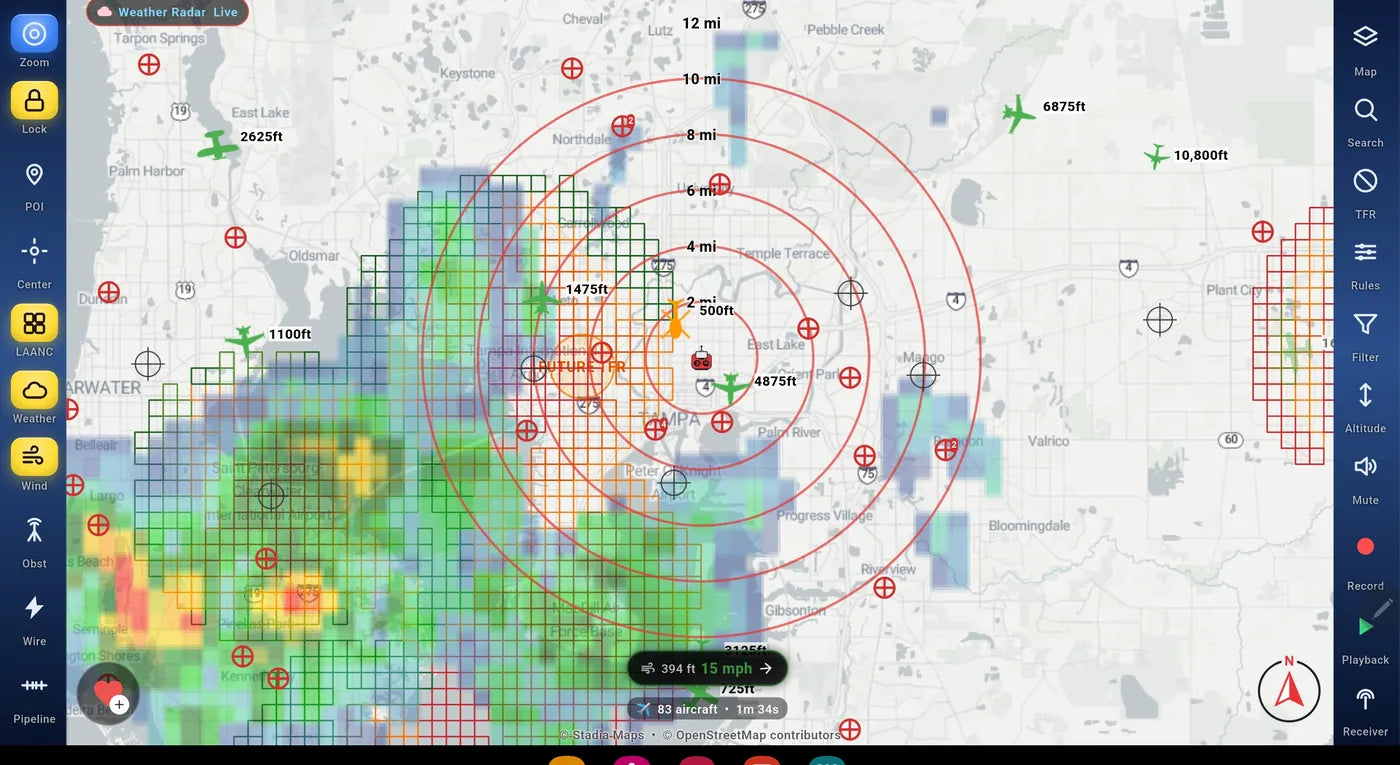
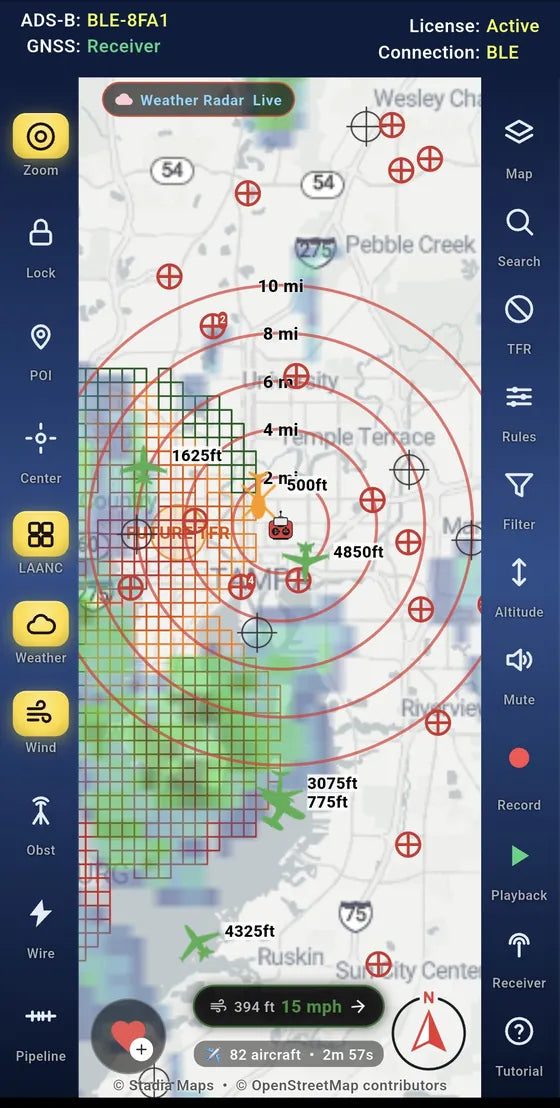
Every aircraft around you, called out
Aircraft broadcasting ADS-B appear on the map in real time, each with its height above or below you. When one gets close, the app tells you where it is out loud, so you never have to look down to find it.
- Voice callouts give the direction, altitude and distance of the aircraft of concern, with on-screen alerts to match.
- Range rings show distance at a glance, in miles or kilometers.
- Your rules: set what gets called out, how close and how often. The defaults work well out of the box.
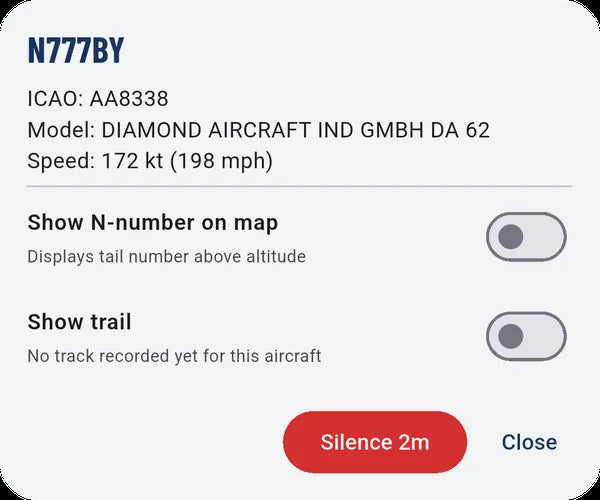
- Tap any aircraft for its N-number, model and speed, or silence just that one.
- Traffic comes straight from your receiver by Bluetooth or Wi-Fi, with no internet needed.

See the drones, not just the planes
With the pilotADSB Receiver with Remote ID, every drone broadcasting Remote ID shows up on your map, including delivery drones and your own.
- Your drone on the map, from its own Remote ID broadcast, together with any other Remote ID drones nearby.
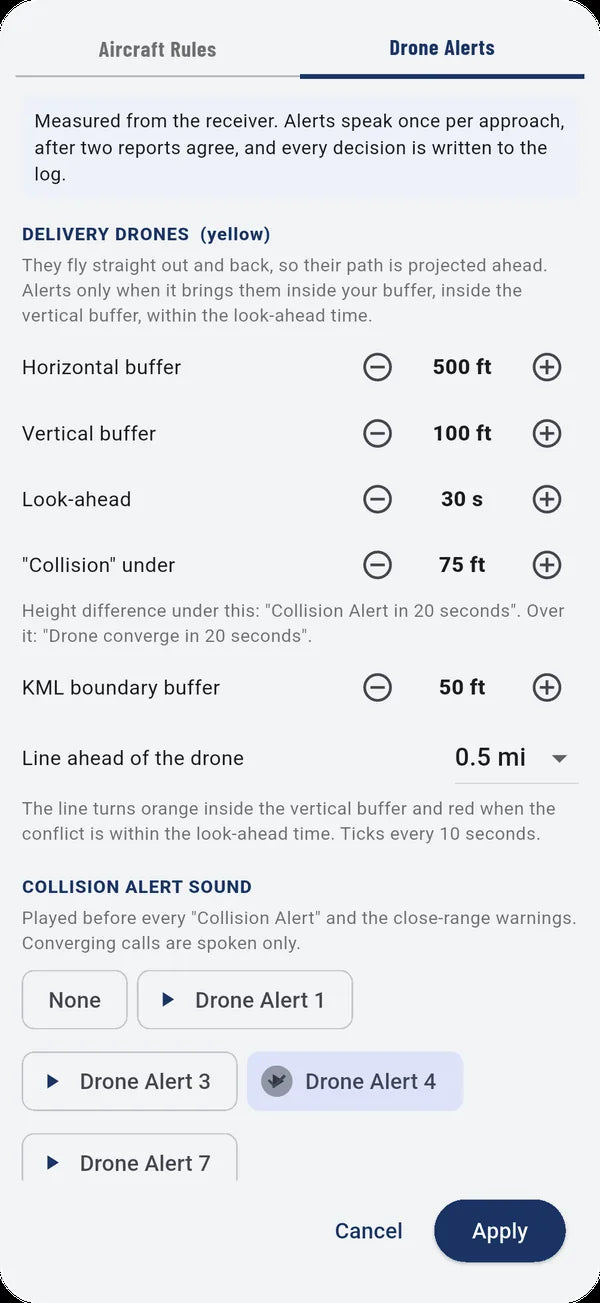
- Delivery drones get their own alert settings, with a look-ahead along their path.
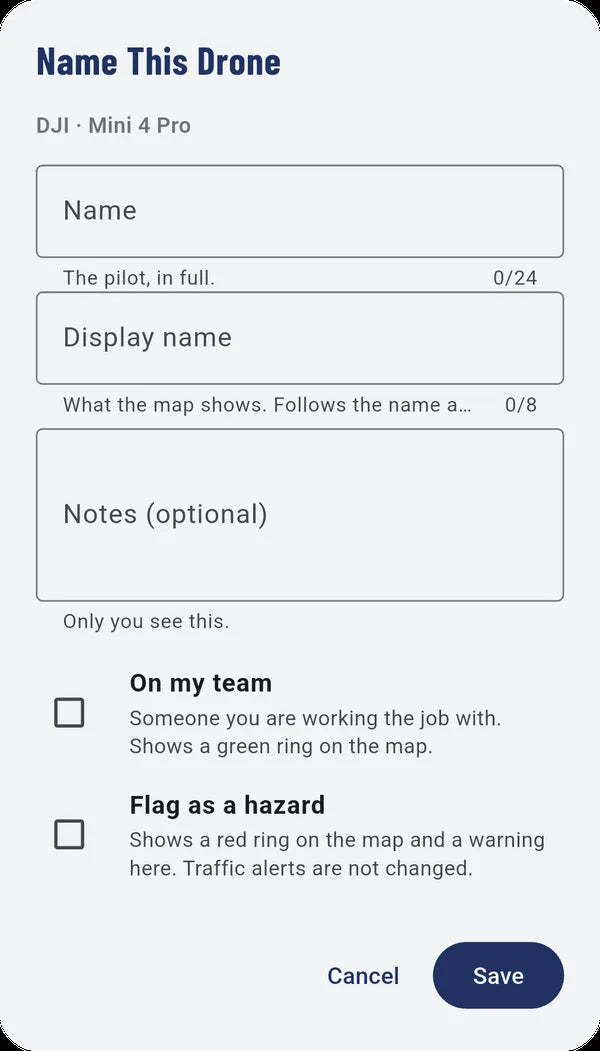
- Name the drones you know, mark your team in green, or flag a drone as a hazard.
- Shows drones that broadcast an FAA-accepted Remote ID, built in or from an add-on module.
Rain and lightning, before they reach you
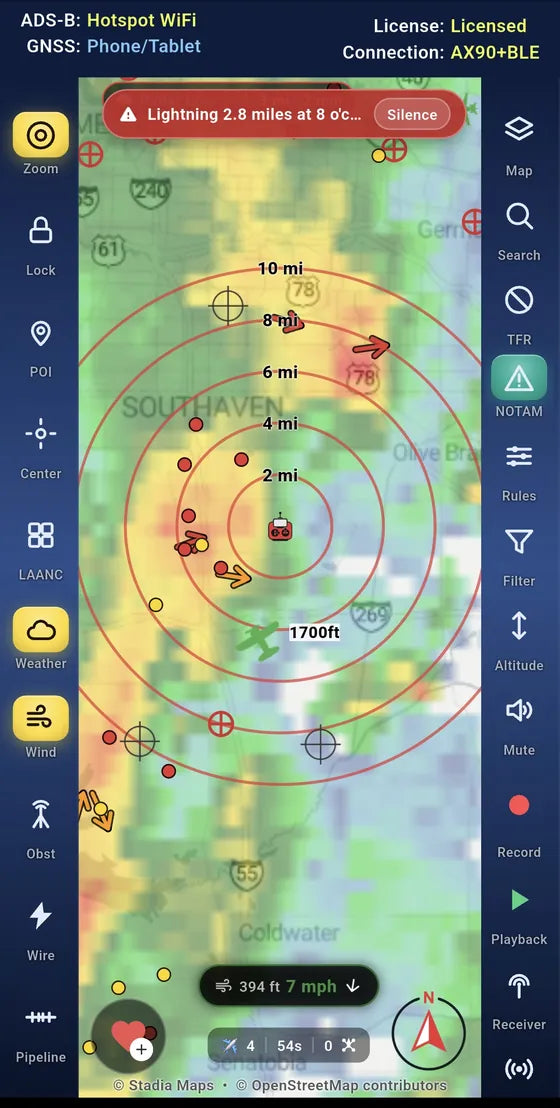
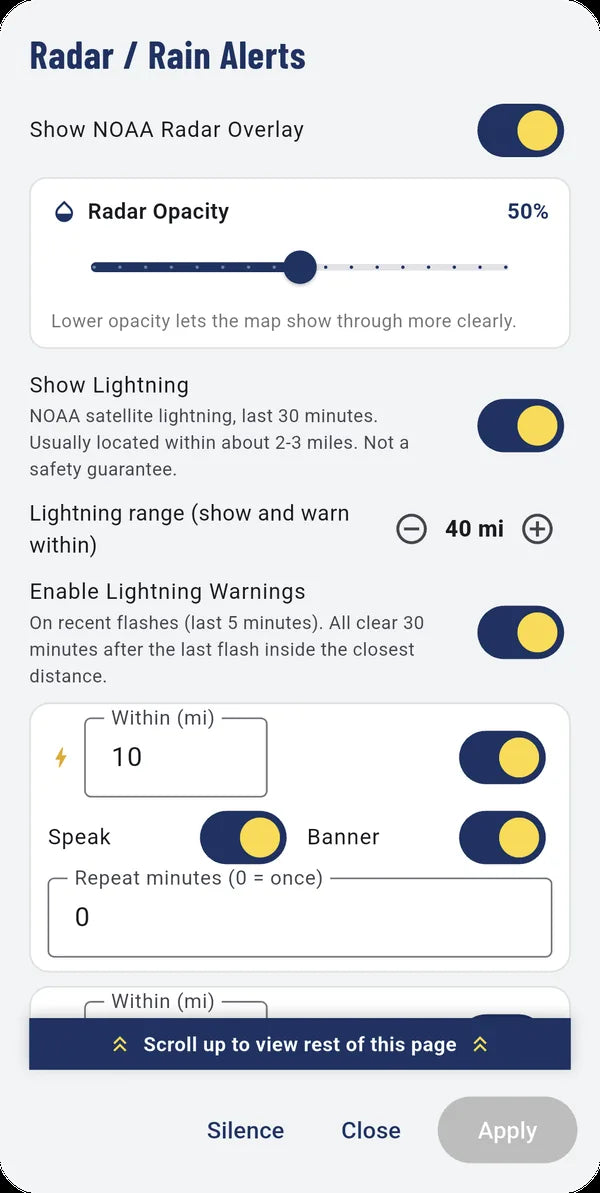
NOAA weather radar sits right on your map, and the app warns you when rain or lightning gets close, with a banner and a spoken alert.
- Live radar with adjustable opacity, so traffic stays easy to read.
- Lightning warnings from recent strikes, by the distance you choose.
- Rain warnings color-coded by distance as a storm approaches.
- Wind at drone heights: the strongest forecast wind, plus a warning when it passes your limit.
TFRs, LAANC and restricted areas, at a glance
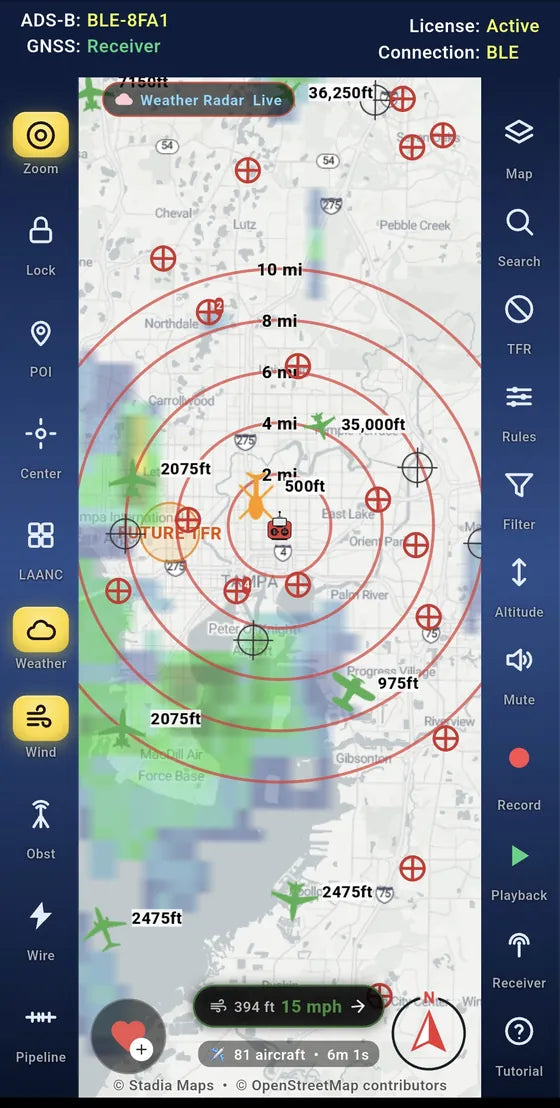
Know what is above you before you launch. The app draws the airspace that matters to a drone pilot straight onto the map.
- TFRs: active ones are always shown in red; upcoming ones for the next seven days in orange.
- The LAANC grid with the maximum altitude for each cell near airports.
- Special Use Airspace, such as prohibited and restricted areas, outlined on the map.
- Need LAANC approval? The app shows the grid, and Open AirData takes you to AirData to request it. The app doesn't file requests itself.


Towers, power lines and pipelines
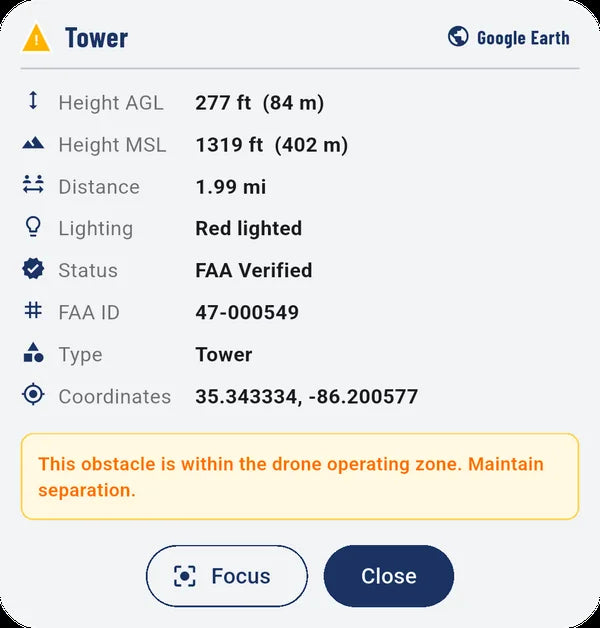
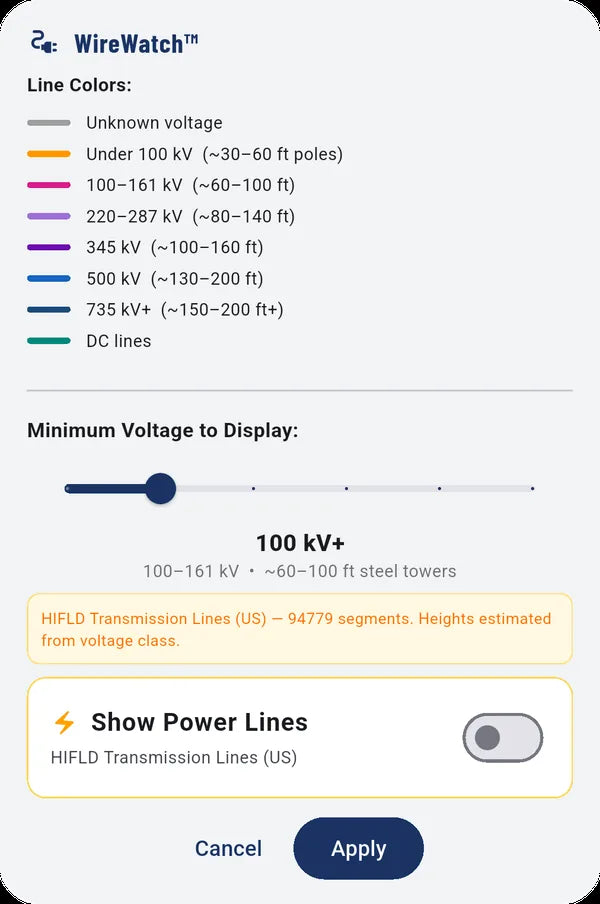
The hazards that matter at low altitude: FAA obstacles, high-voltage power lines and pipelines, each on its own switch.
- FAA obstacles such as towers, wind turbines and water towers, with height, lighting and status.
- Power lines colored by voltage, so you can tell a smaller line from a 500 kV tower line.
- Pipelines: interstate, intrastate and gathering lines.
- Each kind of obstacle has its own button, and a master switch turns them all on or off.
Measure from the job, not just from you
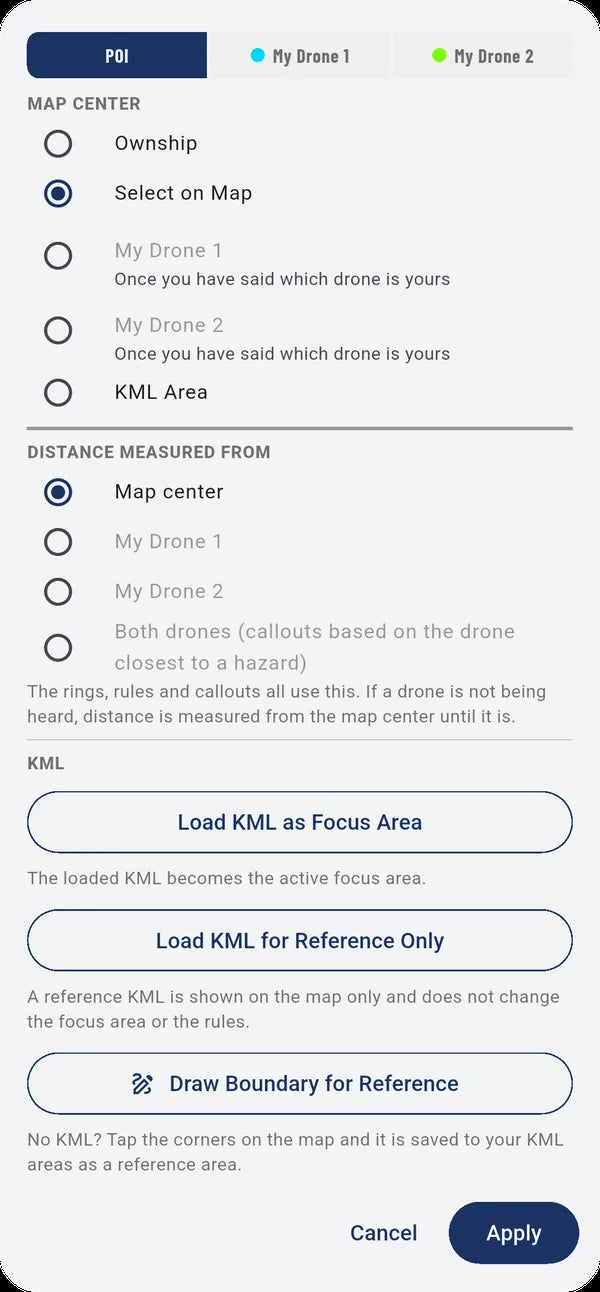
Load your mission boundary and the app watches it for you, measuring traffic from the place that matters.
- Point of interest: the range rings can measure from your position, your drone, or a KML boundary.
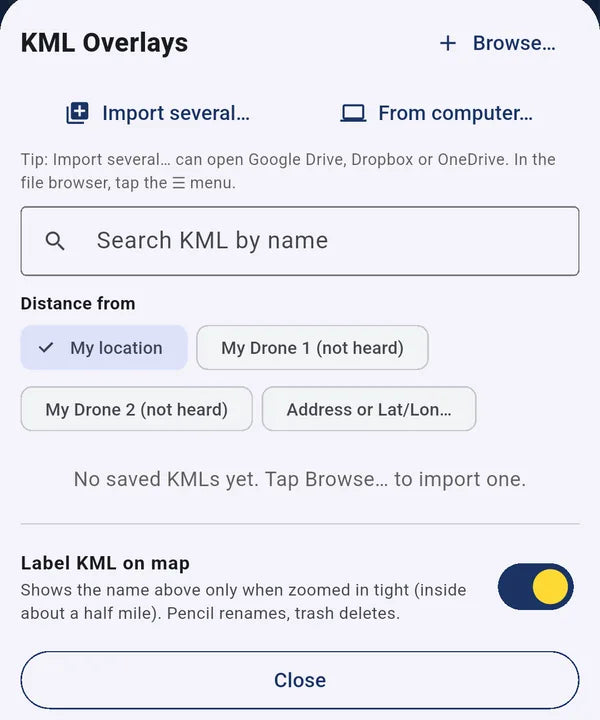
- Import KML files from your phone, a computer, Google Drive, Dropbox or OneDrive.
- See your planned boundary against approaching traffic and nearby obstacles.
Record a flight, replay it, share it
Record everything your receiver picks up and play it back later, to fine-tune your rules or review a flight. Or let someone watch live.
- Record all incoming data until you stop it.
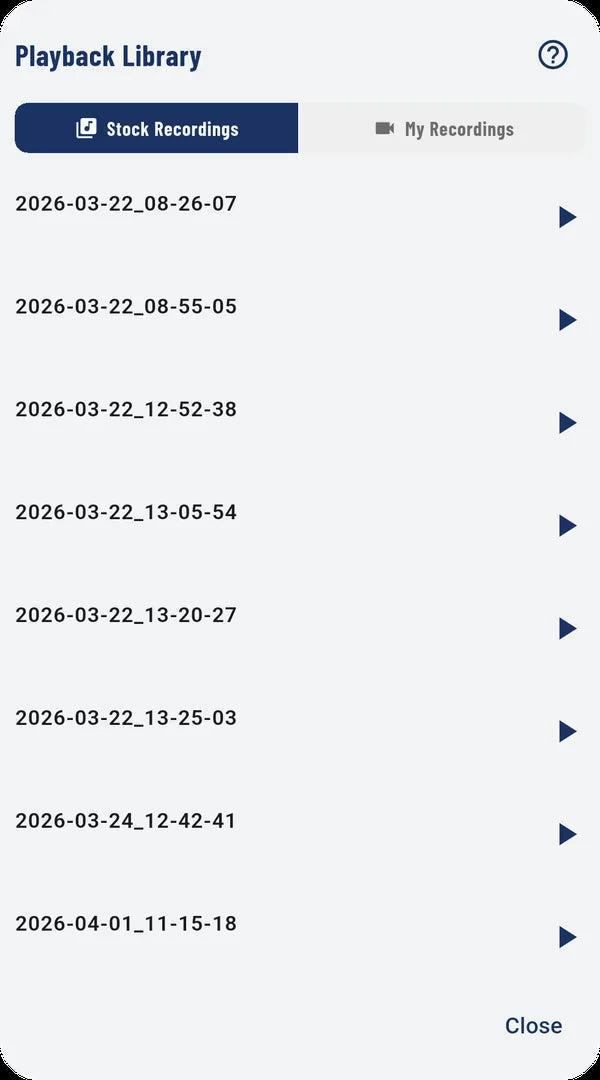
- Play back your own flights, or the built-in recordings of real traffic. Great for learning the app at your desk.
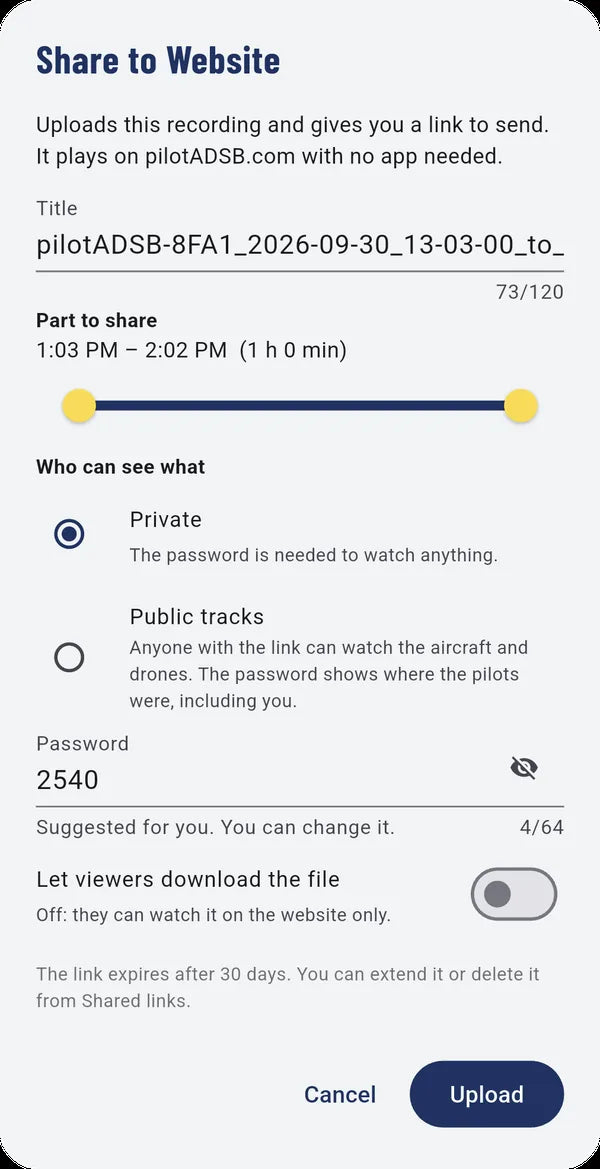
- Share a recording as a password-protected link anyone can play on pilotADSB.com. Links last 30 days.
- Live Feed: stream your traffic picture to the people you choose, with an optional passcode.
All the small things that add up
The details pilots ask for, already built in.
Free to download. Free for a year with a receiver.
Every feature except live aircraft and drone traffic works without a receiver: maps, weather, TFRs, LAANC, obstacles and the built-in recordings.
Both our apps, Drone Pilot ADS-B and pilotADSB EFB, included free for the first year. It turns on the first time you connect, with no payment method.
Or $9.99/month, through Google Play or the App Store, starting with a one-month free trial.
Live traffic works worldwide. Weather, lightning, wind, TFRs, drone NOTAMs, LAANC, Special Use Airspace, obstacles, power lines, pipelines and satellite maps currently use US data.
Ready to see your airspace?
Two complete kits, ready to fly: one for drone pilots with Remote ID, one for airplane pilots with AHRS. Both include a full year of our apps.
Drone Pilot ADS-B is for situational awareness only. It doesn't replace seeing and avoiding other aircraft, and many aircraft and drones don't broadcast at all.